Blade Ball-Skript kostenlos auf Roblox herunterladen
Lade dir ein kostenloses Skript für das Blade Ball-Spiel auf Roblox herunter. Mit diesem Skript kannst du Bälle in Roblox automatisch treffen.
mit Werbung
Die besten Cheats ohne Werbung
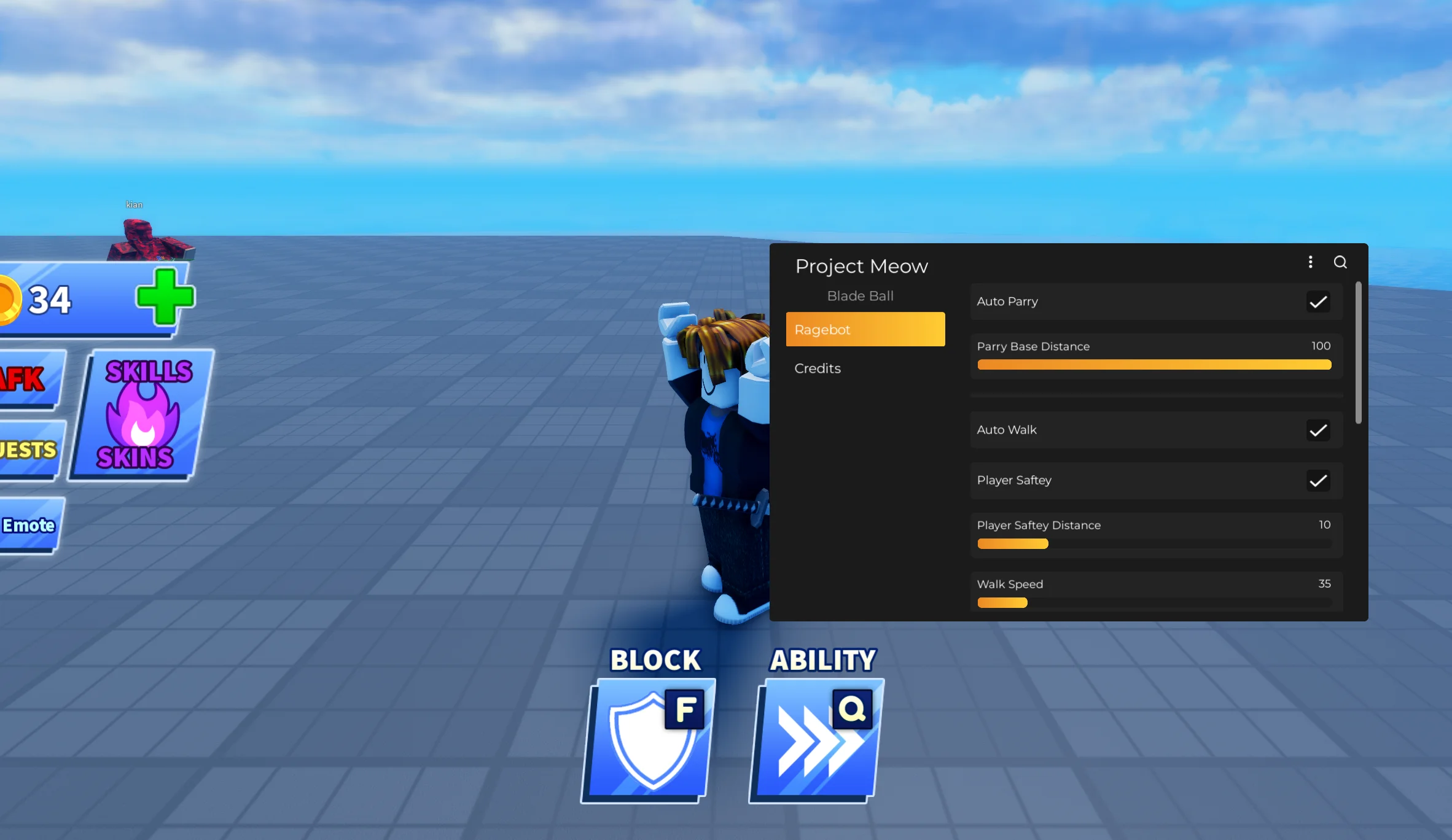
Funktionen des Skripts (Cheat) in Roblox Blade Ball
- Automatische Parade
- Parier-Basisdistanz
- Automatischer Spaziergang
- Spielersicherheit
- Spielersicherheitsabstand
- Schrittgeschwindigkeit
- Und weitere Funktionen
Anleitung zum Ausführen eines LUA-Skripts auf Roblox Blade Ball
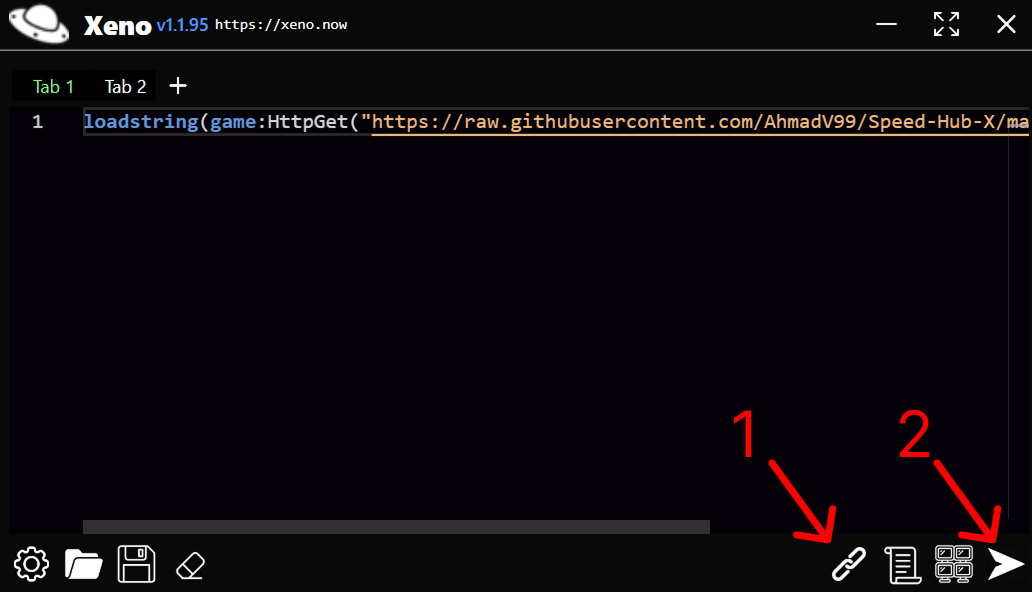
- Herunterladen LUA Executor XENO
- Starte das Roblox-Spiel Blade Ball
- Starten XENO
- Laden Sie das Skript herunter oder kopieren Sie es unter die Anweisungen.
- Im sich öffnenden Fenster einfügen/öffnen
- Klicken Sie auf „Anhängen“ (Kettensymbol) (siehe Screenshot oben).
- Klicken Sie auf den Pfeil in der unteren rechten Ecke (siehe Screenshot oben).
- Fertig!
Was Sie in XENO oder einem anderen LUA-Executor eingeben müssen, um ein Skript auf Blade Ball auszuführen
for i,v in pairs(getconnections(game.Players.LocalPlayer.Idled)) do
    v:Disable()
end

local req = (syn and syn.request) or (http and http.request) or http_request

function GetHttp(URL)
	local Data = nil
	local Test = req({
        Url = URL,
        Method = 'GET',
	})
	for i,v in pairs(Test) do
		Data = v
	end
	return Data
end

local Something = GetHttp("https://raw.githubusercontent.com/Mana42138/woof-gui/main/Source.lua")


local Win = loadstring(Something)():Window("Project Meow", "Blade Ball")
local Ragebot = Win:Tab("Ragebot")
local Credits = Win:Tab("Credits")

local Players = game:GetService("Players")
local RunService = game:GetService("RunService")
local VirtualUser = game:GetService("VirtualUser")

local player = Players.LocalPlayer
local camera = workspace.CurrentCamera

local RandRNG = math.random()
local RandAutoaParry = {[tostring(RandRNG)] = false}

Ragebot:Toggle("Auto Parry", false, function(t)
    RandAutoaParry[tostring(RandRNG)] = t
end)

Ragebot:Slider("Parry Base Distance", 0, 100, 0, function(t)
    BaseDistance = t
end)

Ragebot:line()

Ragebot:Toggle("Auto Walk", false, function(t)
    AutoWalk = t
end)

Ragebot:Toggle("Player Saftey", false, function(t)
    PlayerSaftey = t
end)

Ragebot:Slider("Player Saftey Distance", 0, 50, 10, function(v)
    PlayerSaftey_Distance = v
end)

local can_Execute = false
if not getgenv().WalkSpeed_Mana then
    getgenv().WalkSpeed_Mana = 0
    can_Execute = true
else
    can_Execute = false
end

Ragebot:Slider("Walk Speed", 0, 250, 35, function(v)
    getgenv().WalkSpeed_Mana = v
end)

if can_Execute then
    print("executed!")
    spawn(function()
        while task.wait() do
            pcall(function()
                game.Players.LocalPlayer.Character.Humanoid.WalkSpeed = getgenv().WalkSpeed_Mana
            end)
        end
    end)
end

Ragebot:Slider("Auto Walk Distance X", -40, 40, 12, function(t)
    AutoWalkDistanceX = t
end)

Ragebot:Slider("Auto Walk Distance Z", -40, 40, 13, function(t)
    AutoWalkDistanceZ = t
end)

Ragebot:Toggle("Auto Jump", false, function(t)
    AutoDoubleJump = t
end)

Ragebot:line()

Ragebot:Toggle("Aim At Closest Player", false, function(t)
    ClosestPlayer_var = t
end)

Ragebot:Toggle("Random Teleports", false, function(t)
    RandomTeleports = t
end)

Ragebot:Slider("Teleport Distance X", -40, 40, 0, function(t)
    TeleportDistanceX = t
end)

Ragebot:Slider("Teleport Distance Z", -40, 40, 0, function(t)
    TeleportDistanceZ = t
end)

function GetMouse()
    local UserInputService = game:GetService("UserInputService")
    return UserInputService:GetMouseLocation()  -- Ensure this is the correct method for your setup
end

function GetClosestPlayer()
    local closestDistance = math.huge
    local closestTarget = nil
    for _, v in pairs(game:GetService("Workspace").Alive:GetChildren()) do
        if v and v:FindFirstChild("HumanoidRootPart") and v ~= game.Players.LocalPlayer.Character then
            local humanoidRootPart = v.HumanoidRootPart
                local distance = (game.Players.LocalPlayer.Character.HumanoidRootPart.Position - v.HumanoidRootPart.Position).Magnitude --(Vector2.new(viewportPoint.X, viewportPoint.Y) - mousePos).magnitude
                if distance < closestDistance then
                    closestDistance = distance
                    closestTarget = v
                end
        end
    end
    return closestTarget
end

spawn(function()
    while task.wait() do
        if PlayerSaftey then
            if game.Players.LocalPlayer.Character.Parent.Name == "Dead" then return end
            pcall(function()
                if (GetClosestPlayer().HumanoidRootPart.Position - game.Players.LocalPlayer.Character.HumanoidRootPart.Position).Magnitude <= PlayerSaftey_Distance then
                    game.Players.LocalPlayer.Character.HumanoidRootPart.CFrame = GetClosestPlayer().HumanoidRootPart.CFrame * CFrame.new(-25, 0, -PlayerSaftey_Distance)
                end
            end)
        end
    end
end)

function GetBall()
    for i,v in pairs(game:GetService("Workspace").Balls:GetChildren()) do
        if v:IsA("Part") then
            return v
        end
    end
    return nil
end

function GetBallfromplayerPos(Ball)
    return (Ball.Position - game.Players.LocalPlayer.Character.HumanoidRootPart.Position).Magnitude
end

local function getSpeed(part)
    if part:IsA("BasePart") then
        local speed = part.Velocity.Magnitude
        if speed > 1 then
            return part, speed
        end
        return nil, nil
    else
        print("The provided instance is not a BasePart.")
        return nil, nil
    end
end

local function measureVerticalDistance(humanoidRootPart, targetPart)
    local humanoidRootPartY = humanoidRootPart.Position.Y
    local targetPartY = targetPart.Position.Y
    local verticalDistance = math.abs(humanoidRootPartY - targetPartY)
    return verticalDistance
end

function GetHotKey()
	for i,v in pairs(game.Players.LocalPlayer.PlayerGui.Hotbar.Block.HotkeyFrame:GetChildren()) do
		if v:IsA("TextLabel") then
			return v.Text
		end
	end
	return ""
end

local text = game.Players.LocalPlayer.PlayerGui.Hotbar.Block.HotkeyFrame.F
local KeyCodeBlock = text.Text
text:GetPropertyChangedSignal("Text"):Connect(function()
    KeyCodeBlock = text.Text
end)

local CanSlash = false
local BallSpeed = 0

spawn(function()
    while task.wait() do
        if RandAutoaParry[tostring(RandRNG)] then
            pcall(function()
				for i, v in pairs(game:GetService("Workspace").Balls:GetChildren()) do
                    if v:IsA("Part") then
                        if not game.Players.LocalPlayer.Character:FindFirstChild("Highlight") then return end
						local part, speed = getSpeed(v)
                        if part and speed then
                            local minDistance = 2.5 * (speed * 0.1) + 2
                            if minDistance == 0 or minDistance <= 20 then
                                BallSpeed = 23
                            elseif minDistance == 20 or minDistance <= 88 then
                                BallSpeed = 2.5 * (speed * 0.1) + 5
                            elseif minDistance == 88 or minDistance <= 110 then
                                BallSpeed = 90
                            -- elseif minDistance >= 110 then
                            --     BallSpeed = 2 * (speed * 0.1)
                            end
							if (game.Players.LocalPlayer.Character.HumanoidRootPart.Position - part.Position).Magnitude <= (BallSpeed) then -- (game.Players.LocalPlayer.Character.HumanoidRootPart.Position - part.Position).Magnitude <= minDistance and
                                CanSlash = true
                            else
                                CanSlash = false
                            end
						end
                    end
                end

                if CanSlash then
                    if math.random(1, 5) == 5 then
                        game:GetService("VirtualInputManager"):SendMouseButtonEvent(0, 0, 0, true, game, 1)
                    else
                        game:GetService("VirtualInputManager"):SendKeyEvent(true, Enum.KeyCode[KeyCodeBlock], false, game)
                    end
                    CanSlash = false
                end
            end)
        end
    end
end)

spawn(function()
    while task.wait() do
        if AutoWalk then
            pcall(function()
                if game.Players.LocalPlayer.Character.Parent.Name == "Dead" then return end
				for i, v in pairs(game:GetService("Workspace").Balls:GetChildren()) do
                    if v:IsA("Part") then
						local part, speed = getSpeed(v)
                        if part and speed then
							if speed > 5 then
                                if not game.Players.LocalPlayer.Character:FindFirstChild("Highlight") then
                                    game.Players.LocalPlayer.Character.Humanoid:MoveTo(part.Position + Vector3.new(AutoWalkDistanceX, 0, AutoWalkDistanceZ))
                                else
                                    for i,v in pairs(game:GetService("Workspace").Alive:GetChildren()) do
                                        if game.Players.LocalPlayer.Character.Parent.Name == "Alive" then
                                            if  v ~= game.Players.LocalPlayer.Character then
                                                game.Players.LocalPlayer.Character.Humanoid:MoveTo(v.HumanoidRootPart.Position + Vector3.new(AutoWalkDistanceX, 0, AutoWalkDistanceZ))
                                            end
                                        end
                                    end
                                end
							end
						end
                    end
                end
            end)
        end
        if AutoDoubleJump then
            pcall(function()
                game:GetService("VirtualInputManager"):SendKeyEvent(true, Enum.KeyCode.Space, false, game)
            end)
        end
    end
end)

spawn(function()
    while task.wait() do
        if ClosestPlayer_var then
            pcall(function()
                if game.Players.LocalPlayer.Character.Parent.Name == "Dead" then return end
                local OldCameraFrame = workspace.CurrentCamera.CFrame
                local ClosestPlayer = GetClosestPlayer()
                if ClosestPlayer then
                    workspace.CurrentCamera.CFrame = CFrame.new(workspace.CurrentCamera.CFrame.Position, ClosestPlayer.Head.Position)
                end
            end)
        end
    end
end)

spawn(function()
    while task.wait(math.random(1,2)) do
        if RandomTeleports then
            pcall(function()
                if game.Players.LocalPlayer.Character.Parent.Name == "Dead" then return end
                for i, v in pairs(game:GetService("Workspace").Balls:GetChildren()) do
                    if v:IsA("Part") then
						local part, speed = getSpeed(v)
                        game.Players.LocalPlayer.Character.HumanoidRootPart.CFrame = part.CFrame * CFrame.new(TeleportDistanceX, 0, TeleportDistancez)
                    end
                end
            end)
        end
    end
end)

Credits:Button("Developer: mana_dw", function()
    setclipboard("https://discord.gg/8RRfM9q2XP")
end)

Credits:Button("UI Designer: mana_dw", function()
    setclipboard("https://discord.gg/8RRfM9q2XP")
end)

Credits:Button("Project Meow Discord Server", function()
    setclipboard("https://discord.gg/8RRfM9q2XP")
        local req = (syn and syn.request) or (http and http.request) or http_request
        if req then
            req({
                Url = 'http://127.0.0.1:6463/rpc?v=1',
                Method = 'POST',
                Headers = {
                    ['Content-Type'] = 'application/json',
                    Origin = 'https://discord.com'
                },
                Body = game:GetService('HttpService'):JSONEncode({
                    cmd = 'INVITE_BROWSER',
                    nonce = game:GetService('HttpService'):GenerateGUID(false),
                    args = {code = '8RRfM9q2XP'}
                })
            })
        end
end)

local req = (syn and syn.request) or (http and http.request) or http_request
if req then
    req({
        Url = 'http://127.0.0.1:6463/rpc?v=1',
        Method = 'POST',
        Headers = {
            ['Content-Type'] = 'application/json',
            Origin = 'https://discord.com'
        },
        Body = game:GetService('HttpService'):JSONEncode({
            cmd = 'INVITE_BROWSER',
            nonce = game:GetService('HttpService'):GenerateGUID(false),
            args = {code = '8RRfM9q2XP'}
        })
    })
end

Credits:line()

Credits:Button("Destroy Gui", function()
    if game.CoreGui:FindFirstChild("woof") then
           game.CoreGui.woof:Destroy()
    end
end)

Credits:Button("Rejoin", function()
    local ts = game:GetService("TeleportService")
    local p = game:GetService("Players").LocalPlayer
    ts:Teleport(game.PlaceId, p)
end)

Credits:line()
Referenzen
Die Datei wurde von Experten geprüft – die Installation ist absolut sicher.
Dies könnte zur Sperrung Ihres Kontos führen und anderen Spielern das Spielerlebnis verderben. Wir empfehlen Ihnen daher stets, fair zu spielen, die offiziellen Regeln zu befolgen und ein spannendes und faires Spiel zu genießen.
Häufig gestellte Fragen
Was sind Spielcheats und wie funktionieren sie?
Cheats sind spezielle Programme oder Modifikationen, die das Spielverhalten zum Vorteil des Spielers verändern. Sie können beispielsweise genutzt werden, um Unsterblichkeit, automatisches Zielen, unbegrenzte Ressourcen und vieles mehr zu erlangen. Cheats funktionieren, indem sie den Spielspeicher modifizieren, Code einschleusen oder Sicherheitslücken ausnutzen.
Ist die Verwendung von Cheats sicher?
Die Verwendung von Cheats birgt immer Risiken. Erstens kann dein Account gesperrt werden. Zweitens kann das Herunterladen von unseriösen Seiten zu einer Virusinfektion führen. Bei Cheat Empire prüfen wir jeden Cheat sorgfältig, bevor wir ihn veröffentlichen, damit du sicher sein kannst, dass er sicher ist.
Kann ich wegen der Verwendung von Cheats gesperrt werden?
Ja, insbesondere in Online-Spielen mit aktiven Anti-Cheat-Systemen (z. B. Easy Anti-Cheat, BattleEye, VAC usw.). Um das Risiko zu minimieren, verwenden Sie Cheats nur im Einzelspielermodus oder befolgen Sie die Anweisungen für einen sicheren Start. Wir geben das Risikoniveau stets in der Beschreibung jedes Cheats an.
Wie installiere ich Cheats?
Die Installationsanleitung ist jedem Cheat beigefügt. In der Regel muss das Archiv heruntergeladen, entpackt und der Cheat vor oder nach dem Spielstart ausgeführt werden. Manche Cheats müssen mithilfe eines Loaders in den Spielprozess eingebunden werden. Wichtig ist außerdem, den Cheat als Administrator auszuführen und die Antivirensoftware zu deaktivieren, falls diese Probleme verursacht.
Warum blockiert mein Antivirenprogramm Cheats?
Manche Cheats sind durch Kryptoprotektoren geschützt, um die Erkennung durch Anti-Cheat-Systeme zu umgehen. Diese Schutzmechanismen können Fehlalarme von Antivirenprogrammen auslösen. Es handelt sich dabei nicht um einen Virus, sondern um einen Codeschutz. Sie können Ihr Antivirenprogramm vorübergehend deaktivieren oder den Cheat zur Ausnahmeliste hinzufügen. Alle Cheats auf unserer Website werden vor der Veröffentlichung geprüft.
Welche Programme muss ich installieren, damit der Cheat richtig funktioniert?
Die meisten Cheats benötigen bestimmte Systembibliotheken. Hier ist eine Liste der Bibliotheken, die auf Ihrem PC installiert sein sollten:
- Visual C++ Redistributable 2005–2022
- .NET Framework 4.5+ XNUMX
- DirectX (Juni 2010)
- DirectX SDK (für einige Cheats)
- WinRAR oder 7-Zip zum Entpacken von Archiven
Wenn beim Starten des Cheats Fehler wie diese auftreten msvcp120.dll отсутствуетDann fehlt die benötigte Bibliothek.
Wo kann ich Hilfe bekommen?
Sollten Sie Probleme beim Starten oder Installieren des Cheats haben, können Sie sich jederzeit an unser Support-Team wenden. Wir antworten umgehend über unseren Telegram-Kanal: @cheat_empire.
Ähnliche Cheats
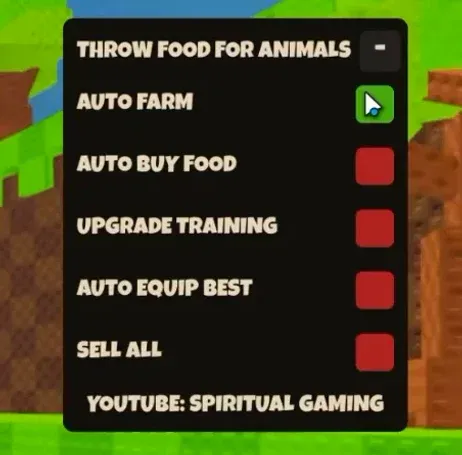
Lade dir kostenlose Cheats für „Tierfutter werfen“ in Roblox herunter – ganz ohne Schlüssel! Die Skripte beinhalten automatisches Farmen, automatisches Perfektionieren, automatisches Aufrüsten und weitere Funktionen.
13.11.2026
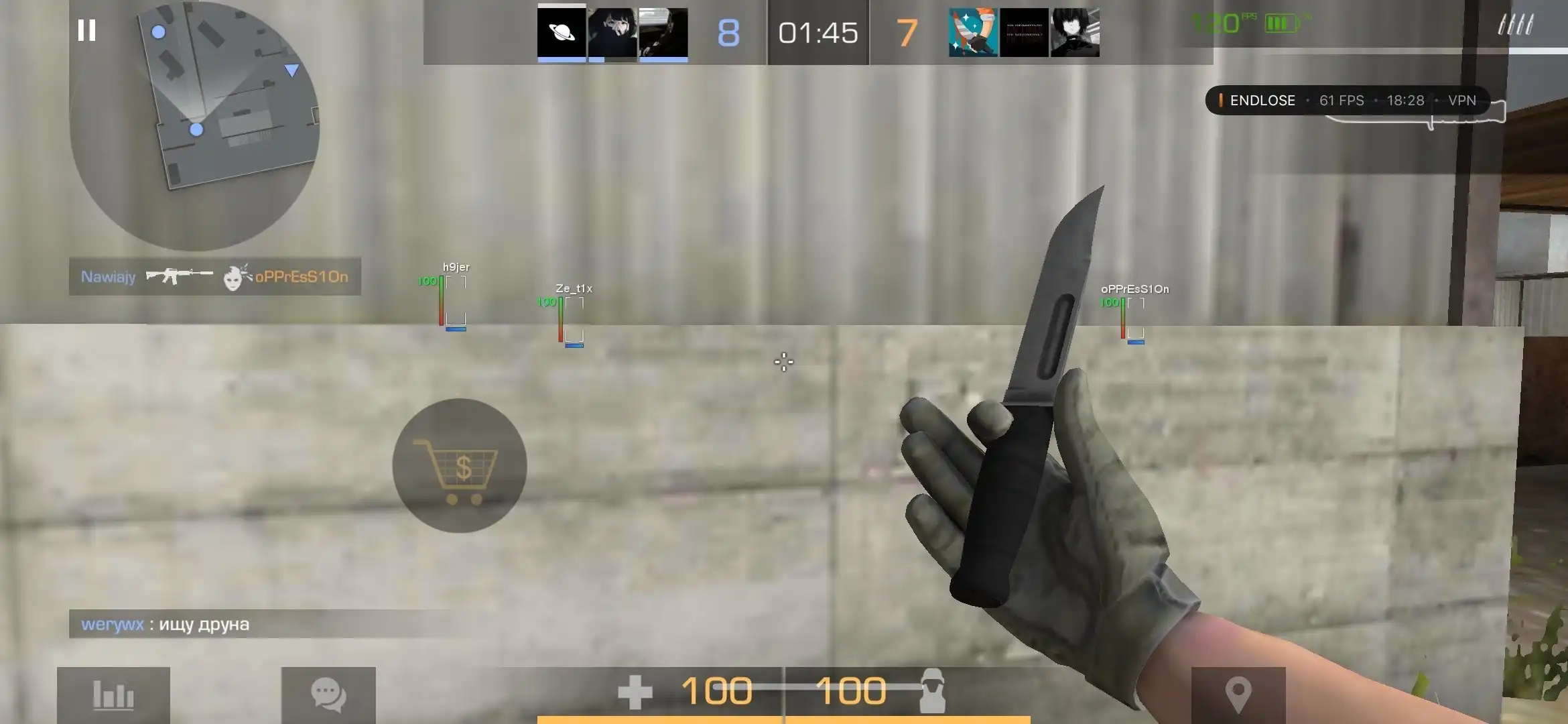
StandRise Rework 1.0 Cheat für Android ohne Root-Zugriff. Der Cheat beinhaltet die ESP-Funktion.
11.11.2026
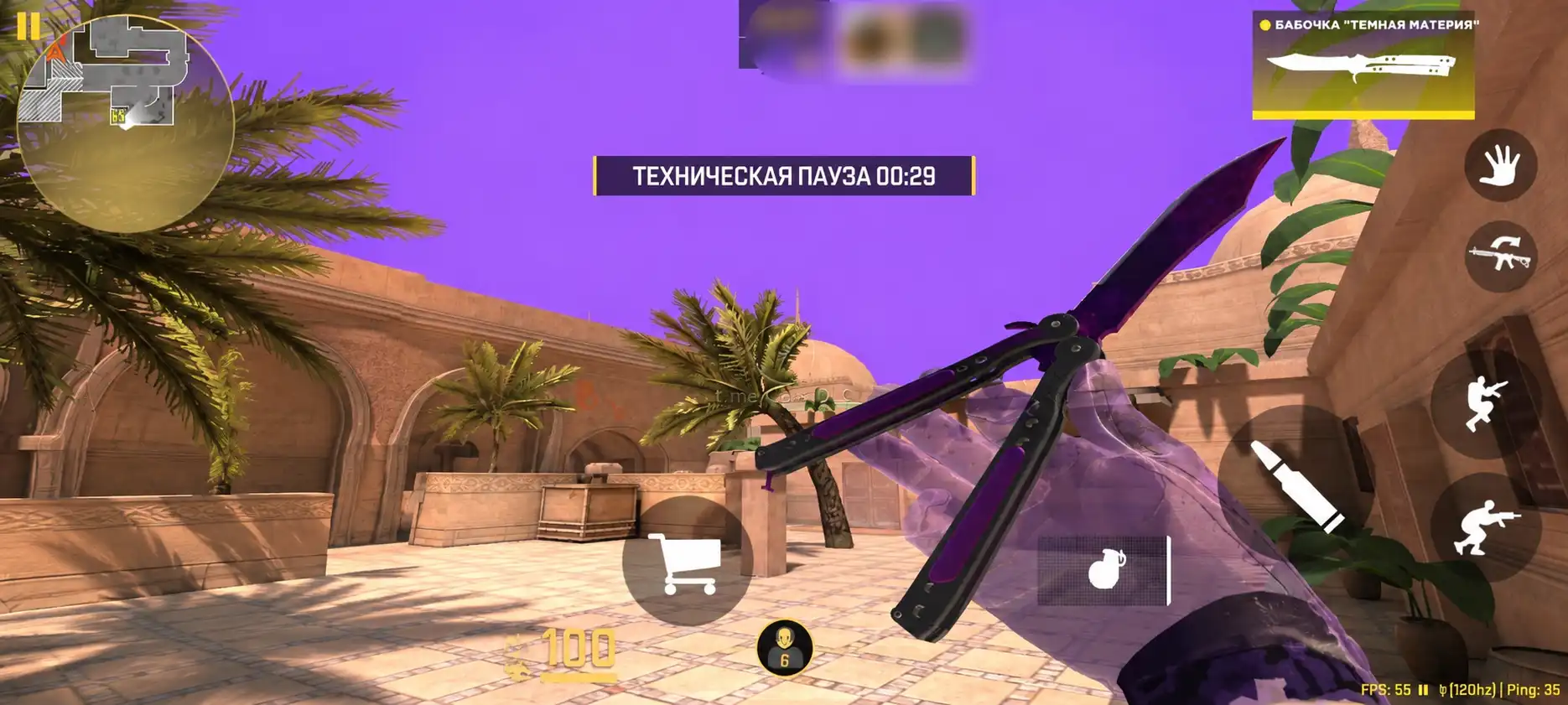
GasaiDLC Rapira Cheat (No Root 2026): ESP, AimBot, Silent Aim, SkinChanger und mehr.
11.11.2026
Kommentare
Es gibt noch keine Kommentare. Erstelle den ersten!